
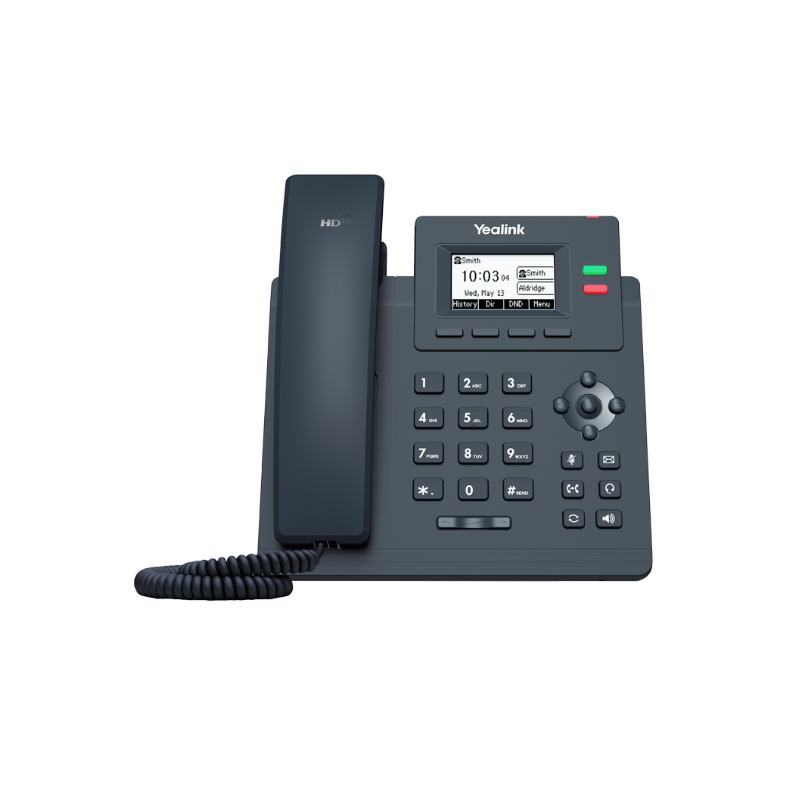
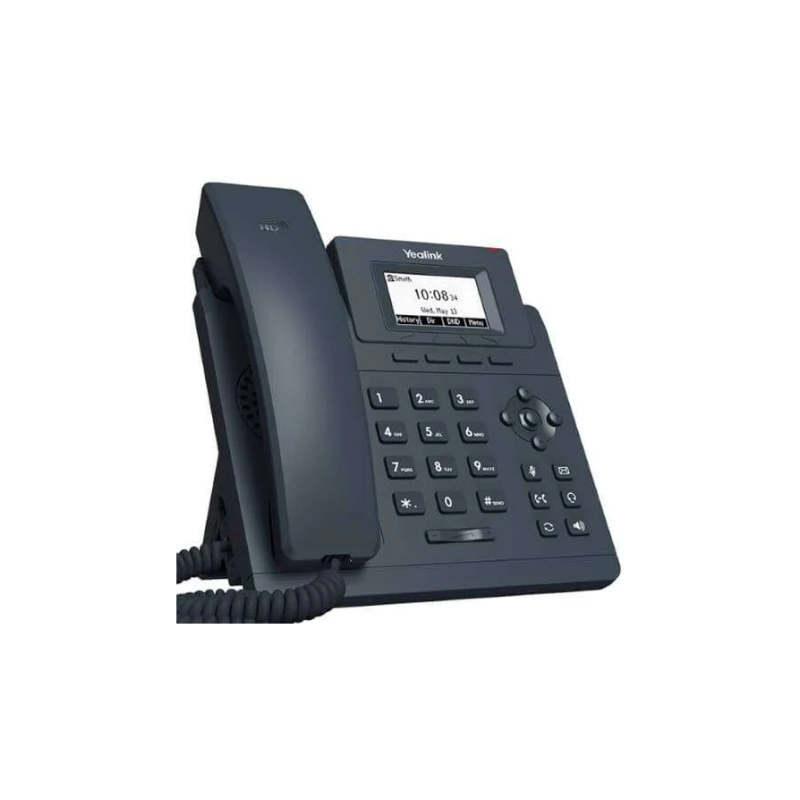
Yealink SIP-T31P Classic Business IP Phone
Specifications
KSh 7,700.00
Yealink SIP-T31P Classic Business IP Phone
Product Features Description
Elevate your everyday office communications with the Yealink SIP-T31P – Classic Business IP Phone. Engineered with an extra-large 132×64-pixel graphical LCD and adjustable backlight, this entry-level IP phone ensures clear visual navigation under any lighting. Packed with advanced acoustic technology, it provides distraction-free calls for busy work environments.
-
Clear HD Audio Output: Communicate clearly using the Yealink SIP-T31P – Classic Business IP Phone, featuring Opus codec support and Smart Noise Filtering technology.
-
Dual-Line VoIP Efficiency: Streamline call management on the Yealink SIP-T31P – Classic Business IP Phone with 2 SIP accounts and 5-way local conferencing.
-
Integrated Power over Ethernet: Simplify your desk wiring by powering the Yealink SIP-T31P – Classic Business IP Phone via dual 10/100M Ethernet ports with built-in PoE.
-
Ergonomic & Adjustable Design: Position the Yealink SIP-T31P – Classic Business IP Phone comfortably using its multi-angle adjustable stand or wall-mount setup.
-
Unified Management & Deployment: Maintain effortless device provisioning on the Yealink SIP-T31P – Classic Business IP Phone through Yealink Unified Firmware and Management Platform support.
Specifications
Pros & Benefits
-
High-Definition Voice Clarity: Smart Noise Filtering reduces background chatter for professional conversations.
-
Cost-Effective PoE Deployment: Reduces cable clutter and saves outlet space by drawing power over Ethernet.
-
Flexible Stand Angles: Ergonomic design allows customized desk viewing angles or clean wall mounting.
-
Easy Mass Deployment: Unified firmware simplifies IT configuration across corporate networks.
Price & Availability Matrix
Suitable Application Areas
-
Corporate Reception & Open Offices: Ideal for front desk staff needing multi-line handling and noise reduction.
-
Call Centers & Customer Support: Delivers comfortable hands-free support via RJ9 headset integration.
-
Small to Medium Business Desks: Compact, budget-friendly desktop voice terminal for daily communications.
-
Remote & Branch Offices: Works seamlessly across WAN environments via standardized SIP auto-provisioning.
Installation Guide & User Support Manuals
Set up your IP phone in a few quick steps:
-
Connect the handset cord to the RJ9 handset port on the back of the Yealink SIP-T31P – Classic Business IP Phone.
-
Connect an Ethernet cable from your network router or PoE switch to the Internet (WAN) port on the phone.
-
If not using PoE, connect an optional 5V DC power adapter into the power input jack.
-
Secure the stand legs in your preferred angle slot or mount the unit to a wall bracket.
-
Power on the device, locate the IP address on the LCD, and log into the web user interface to enter your SIP account credentials.
-
For official technical documentation and firmware upgrades, visit the resource page: Yealink Installation Guide & User Support Manuals.
-
Explore complete VoIP solutions at Shop for more PBX & IP Phone deals at Potent.it.
Available Purchase Options
-
In-Store Purchase: Pick up directly at our Nairobi store location for immediate walk-in collection.
-
Online Purchase & Countrywide Delivery: Order online at potent.it for fast delivery across Kenya.
FAQs for Yealink SIP-T31P – Classic Business IP Phone
Q: Does the Yealink SIP-T31P include a power adapter in the box?
A: Because it features integrated PoE, standard packages may omit the power supply. A standard 5V DC adapter can be purchased separately if your network lacks a PoE switch.
Q: Can I connect a wireless headset to this phone?
A: Yes, it supports Electronic Hook Switch (EHS) headsets via the Yealink EHS35 wireless headset adapter plugged into the RJ9 port.
Q: How many SIP accounts can I configure on the T31P?
A: The phone supports up to 2 independent SIP accounts.
What is in the Box?
-
1× Yealink SIP-T31P IP Phone Main Unit
-
1× Handset with Handset Cord
-
1× Ethernet Cable (CAT5E)
-
1× Desktop Stand
-
1× Quick Start Guide
Verdict
The Yealink SIP-T31P – Classic Business IP Phone is a reliable entry-level VoIP desk phone that balances affordability, HD audio, and PoE convenience. It is ideal for modern businesses looking for dependable multi-line communications without high setup costs. Order online or visit us in-store today at Shop for more PBX & IP Phone deals at Potent.it.
Based on 0 reviews
Be the first to review “Yealink SIP-T31P Classic Business IP Phone”
Related products
-
Adapters, Networking Products
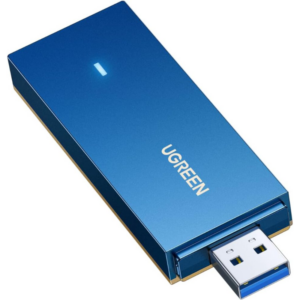
UGREEN AX1800 Dual-Band Wireless USB Adapter (Wi-Fi 6) – CM499
Technical Specifications (CM499)
Feature Specification Model Number CM499 / 90333 Wireless Standard Wi-Fi 6 (802.11ax) Max Speed 1800 Mbps (1201Mbps @ 5GHz + 574Mbps @ 2.4GHz) Interface USB 3.0 Antenna Adjustable High-Gain External Antenna Encryption WPA3 / WPA2 / WPA Compatibility Windows 11/10/8.1 SKU: n/a -
Adapters, Networking Products
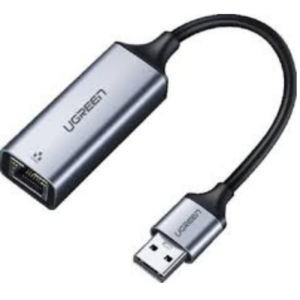
UGREEN USB-A 3.0 to RJ45 Gigabit Ethernet Adapter (CM209)
Technical Specifications (CM209)
Feature Specification Model Number CM209 (50922) Input Interface USB-A 3.0 Male Output Interface RJ45 Gigabit Ethernet Female Network Speed 10/100/1000 Mbps Chipset AX88179A (High-performance) Material Aluminum Alloy Compatibility Windows, macOS, Linux, ChromeOS SKU: n/a -
Adapters, Networking Products
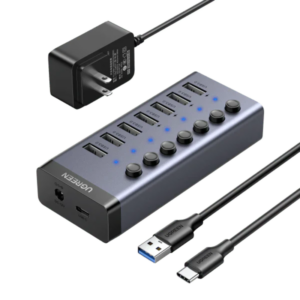
UGREEN USB-C to 7-Port USB-A 3.0 Hub (with 12V DC Power) – CM481
Technical Specifications (CM481)
Feature Specification Model Number CM481 Input Interface USB-C (to Laptop/PC) Output Ports 7x USB 3.0 Type-A Power Supply External DC 12V / 2A Adapter (EU Plug) Data Speed Up to 5Gbps Compatibility Windows, macOS, Linux, Android, iPadOS Material Durable ABS Plastic with LED indicators SKU: n/a -
Adapters, Networking Products
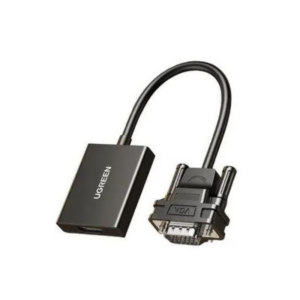
UGREEN VGA to HDMI Adapter – CM513
Specifications (CM513)
Feature Specification Model Number CM513 / 40263 Input VGA (Video) + 3.5mm Jack (Audio) Output HDMI (Digital Audio & Video) Max Resolution 1080p @ 60Hz Power Supply Micro USB Port (5V/1A) Compatibility PC, Laptop, DVR/NVR, Projector, HDTV SKU: 50945
There are no reviews yet.